

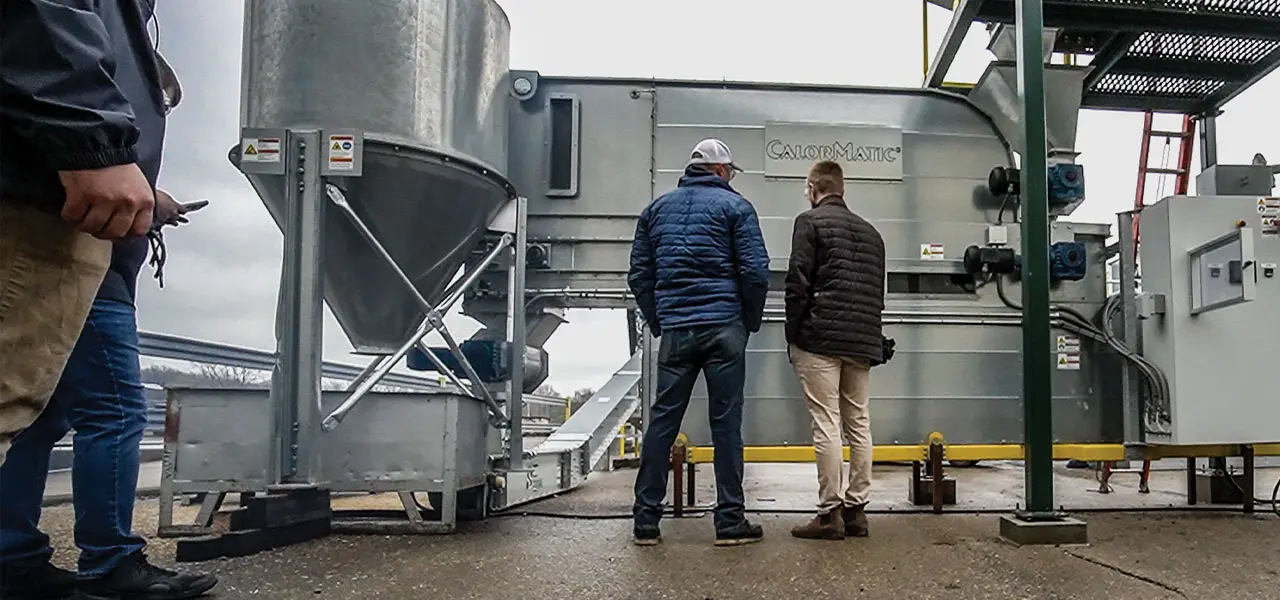
Getting the most return from your equipment is always a top priority, especially when you’re working through harsh Midwest winters like those we see around Springfield, Ohio. For operations that rely on consistent heat processing, it’s important to keep an eye not just on output, but also on what it’s really costing to run and maintain that equipment day after day. When numbers start adding up quickly, you need a solid way to track what your systems are actually doing for you.
That’s where tools made to calculate return on investment (ROI) for heat processors come into play. ROI tools help make sense of the technical side by turning performance data into real, usable information. Whether you’re overseeing a grain drying facility or managing energy costs in processing environments, a smart calculator can help you see if your equipment is paying off the way it should or where changes might save time, money, or stress.
Understanding The CalorMatic® Calculator Tools
The CalorMatic® Calculator Tools were built to simplify the process of measuring how effectively heat processors are operating. These digital tools are used to track heat efficiency, energy use, and product flow through custom systems in agricultural and industrial setups. If you’re running equipment all day, every day, you know every degree and minute counts.
By using these calculators, operators can feed in details about how their heat processors are running, such as run time, burner settings, and fuel type, and get feedback linked to the performance of the system. Instead of just guessing, they get estimated numbers that show where energy might be slipping away or where the system is running right on target.
Here’s a quick breakdown of what the CalorMatic® Calculator Tools can help with:
– Estimate overall energy use based on actual system configurations
– Compare theoretical energy usage to actual readings, highlighting differences
– Measure how much fuel or power is necessary to maintain desired output
– Identify parts of the system that may not be running efficiently
– Offer insight into the effectiveness of changes, like new burner settings or different grain conditions
In practical terms, let’s say you’re using a CalorMatic® Heat Processor to dry corn during a wet harvest season. You plug in moisture levels, fuel type, expected throughput, and target temperature. The calculator can estimate how long the system will need to run and what kind of cost to expect. You’d know ahead of time if changes to airflow settings might improve the system’s performance, or if another load setting would cost a lot more in fuel without much gain.
These tools give operators better awareness, which means better planning. And when you’re fighting snow delays or hauling in wet product batches in the middle of January, having that data beforehand can make a big difference.
Calculating Return On Investment (ROI)
ROI shows how much return you’re getting from your equipment compared to what you’ve spent. It’s a simple idea, but when it comes to complex systems, tracking those numbers can get tricky fast. That’s where the CalorMatic® cost calculator shines. It helps break things down so you can see if your equipment is still bringing value.
To really understand what the calculator does, it helps to follow the steps operators use:
1. Input System Details
Enter variables like runtime hours, fuel costs, energy type, and production output
2. Feed Data on Equipment Settings
Include burner size, airflow speed, operating temperatures, and moisture content
3. Review Energy Forecasts
Get projections for how much energy is expected to be used based on all settings
4. Compare to Actual Costs
Match what the calculator projects with what’s been spent to catch efficiency gaps
5. Adjust and Improve
Use what you learn to decide if you need to tweak settings or make equipment upgrades
One of the biggest perks is how it makes equipment performance measurable in a way that’s easy to act on. When you’re trying to balance operating schedules with energy costs, especially during high-demand seasons, this kind of tool isn’t just helpful, it’s practical. You don’t have to wait for problems to show up. The data helps spot them early.
Benefits Of Using CalorMatic® Calculator Tools
When heat processors run frequently during winter and early spring in Springfield, Ohio, even small gains in system efficiency can lead to noticeable improvements in cost control and output. That’s where using CalorMatic® Calculator Tools pays off most. These tools don’t just spit out numbers, they give real insight you can apply right away.
For starters, maintenance planning becomes a bit easier. If the calculator flags rising energy use that doesn’t match historical settings, that could point to early signs of wear. Maybe air filters are clogging up, maybe a burner isn’t holding temperature like it used to. Whatever the case, the data gives you a nudge before something more serious happens.
Another area where this tool makes a difference is in load planning. For those drying grain or running material batches, knowing how certain loads perform in specific conditions helps streamline throughput. Instead of guessing how long it’ll take to process a high-moisture batch, you’ll already have projections backed by the calculator.
Here’s how this may help operations day-to-day:
– Avoiding over-drying your product by matching burner input with precise run times
– Scheduling fuel deliveries more accurately based on projected use
– Spotting airflow issues that increase running time unnecessarily
– Comparing system performance over multiple seasons to plan upgrades
– Reducing guesswork by helping new operators understand past system behavior
Say, for example, you’ve been running a heat processor for corn drying and the calculator starts showing higher-than-usual fuel use for the same moisture level. Upon inspecting the unit, you find minor gaps in your ductwork letting air escape. A quick fix there prevents even more waste later. That’s the kind of heads-up these tools offer.
Maximizing Efficiency With Sweet Manufacturing Company Products
While the calculator tools stand on their own, using them alongside other equipment can multiply their impact. When integrated into systems using different conveyors and support structures, the tool offers a bigger-picture view. For instance, heat loss or excessive cycle runtimes could tie back to bottlenecks elsewhere in a plant, not the processor itself.
Setups using enclosed belt conveyors can measure how speed adjustments affect material feed, which in turn influences heating efficiency. If conveyors are running too fast and feeding inconsistent loads, the calculator helps flag those issues by showing energy use patterns that seem out of sync with projected ones.
To keep systems running as closely to target as possible, consider the following tips:
– Use the tool consistently instead of seasonally, ongoing checks improve accuracy
– Compare results during different outdoor conditions, colder air often impacts performance more than it seems
– Document changes made to feed systems or ductwork so trends in the calculator data line up with real-world shifts
– Use reading fluctuations to double-check issues like poor insulation or vent leaks
If you’re using other monitoring devices or metering systems, merging those readings with the calculator outputs fills in more of the puzzle. For example, reduced temperature readings in the final product area, when paired with higher fuel usage, may show that output air is dispersing before hitting the product. That would help you identify and fix airflow routing or insulation gaps.
Using Data to Make Smarter Equipment Choices
At the end of the day, it’s not just about saving on fuel or reducing run time. Tools like the CalorMatic® Calculator are about helping you understand whether the system you already invested in is still doing what you need it to. That includes alerting you to hidden problems, showing you where adjustments are worth it, and giving confidence that your operation is pointed in the right direction.
Springfield businesses dealing with heat processing challenges during colder months benefit most when they treat data as a part of the job, not just extra paperwork. These tools don’t replace hands-on experience. They enhance it. Operators who use these calculators turn routine checks into decisions backed by actual numbers.
Systems change with time. Materials change, conditions change, energy prices shift. By using tools designed to measure actual value, you set yourself up to make choices rooted in facts, not just habits. And when equipment’s running better, your production runs smoother too.
Ready to see how our equipment models hold up in your operation? Learn more about our manufacturing company products to find the right fit for your process needs. Sweet Manufacturing Company is proud to support your production goals with dependable tools designed to fit your workflow and help get the most out of your system.